Deep Learning with Aphelion Dev
Classification of images
This example lets the user apply a trained classifier on a set of images to determine the class of the image among classes already learned. A class is like a category.
The Neural Network used behind the classifier is based on ResNetV1-101 with 1000 classes and has been trained from ImageNet, a large database with millions of images and a large diversity of objects and animals.
- Unzip the example
- In the Aphelion Dev user interface, select the Developer Task

- Open an image of the Sample Images/Classification folder
- Select function DeepLearning.Process
- Set the input image recently opened
- Select the xml file of the classifier to browse the folder Networks/Classification
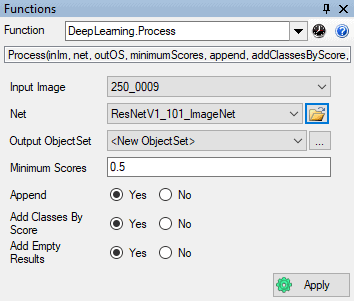
- Apply the function and wait for the result (the first processing can take some time due to allocation of GPU resources)
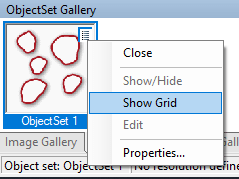
- Look at the ObjectSet Gallery and right click to display the grid
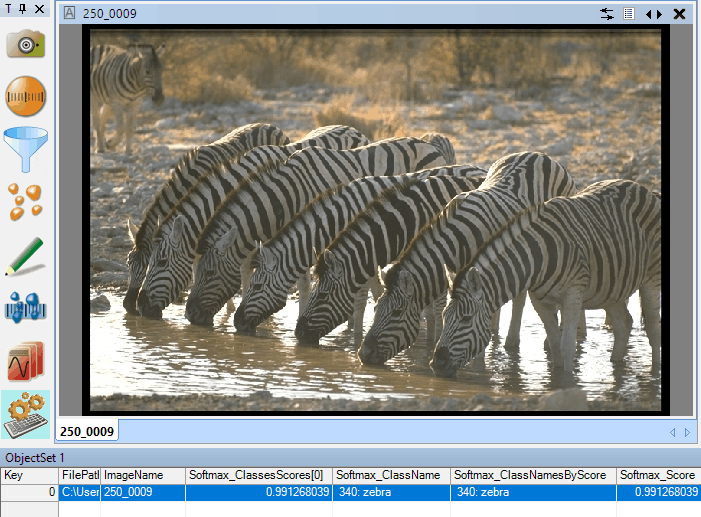
- Score gives a percent of confidence information for the class returned. in the current example, the image is a member of the zebra class with a confidence of 99.13%
Detection of faces in images
This example lets the user apply a trained object detection network on a set of images to get bounding boxes around the detected faces.
The network is based on the R-FCN architecture and has been trained on the WIDER FACE dataset.
- Unzip the example
- In the Aphelion Dev user interface, select the Developer Task
- Open an image of the Sample Images/Detection folder
- Select function DeepLearning.Process
- Set the input image recently opened
- Select the xml file of network to browse the folder Networks/Detection
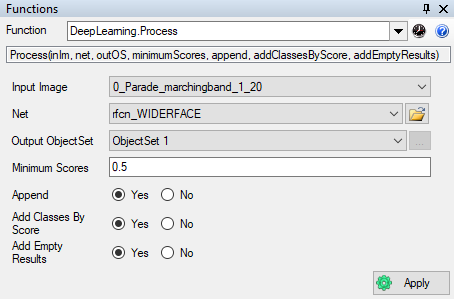
- Apply the function and wait for the result (the first processing can take some time due to allocation of GPU resources)
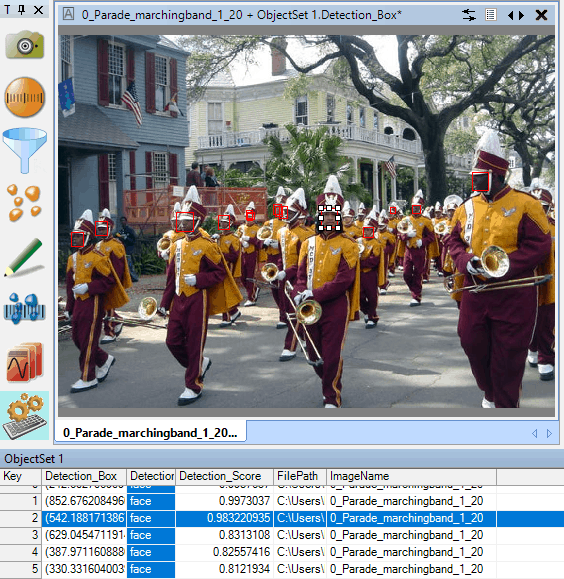
- Take a look at the ObjectSet Gallery, double click on the ObjectSet to display the bounding boxes that are detected in the image and right click to display the grid
- Note that message passing is available between the bounding boxes in the image and the object in the grid
- Score gives a percent of confidence information for the class returned for each bounding box. In this example, the selected face is recognized with a confidence of 98.32%